Showing lighting options to clients with every lamp switched on
For interior designers, architects and lighting designers who specify lamps. Lucy is built for stores, so this page explains where it fits in your work and where it does not.
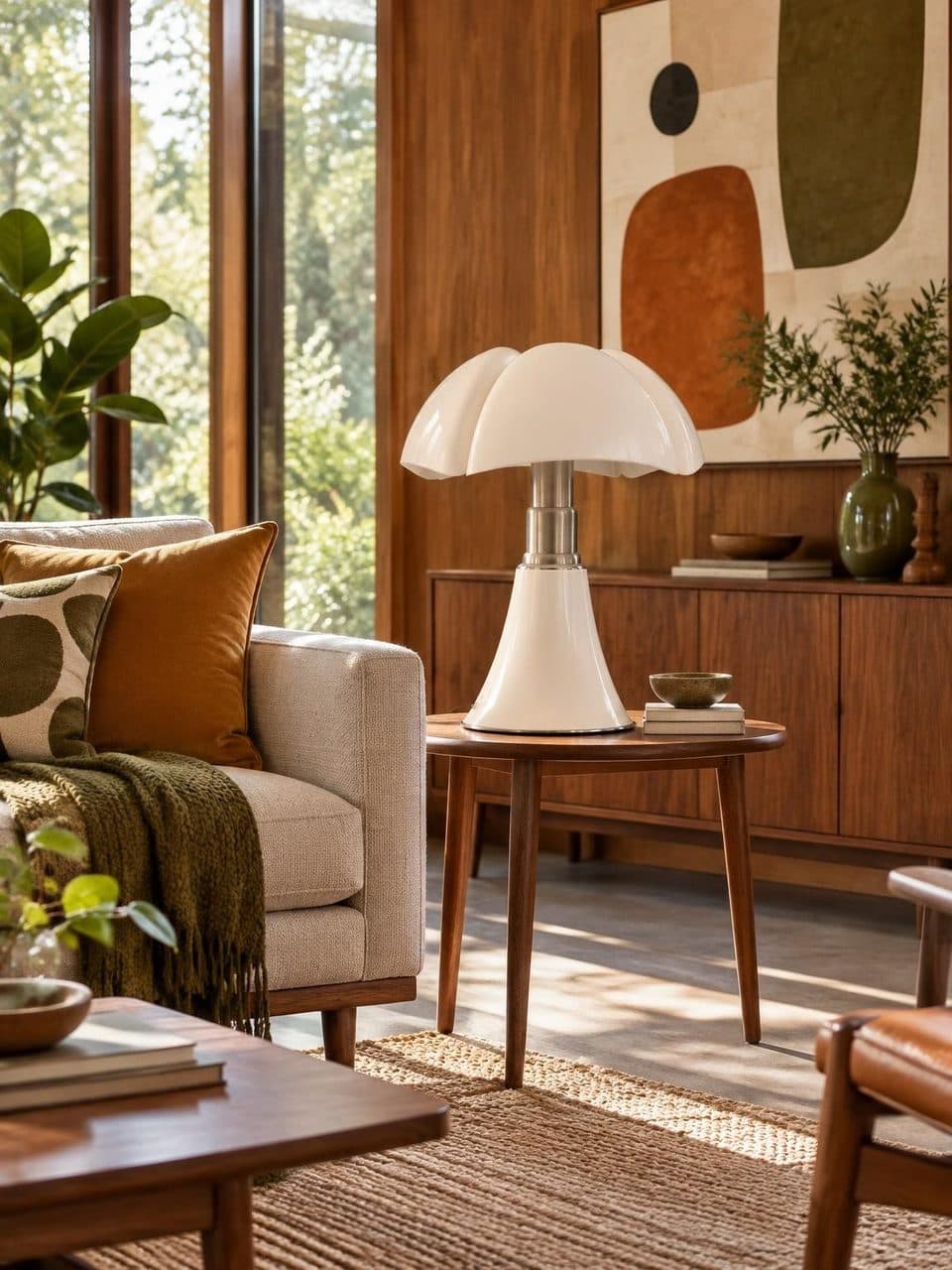
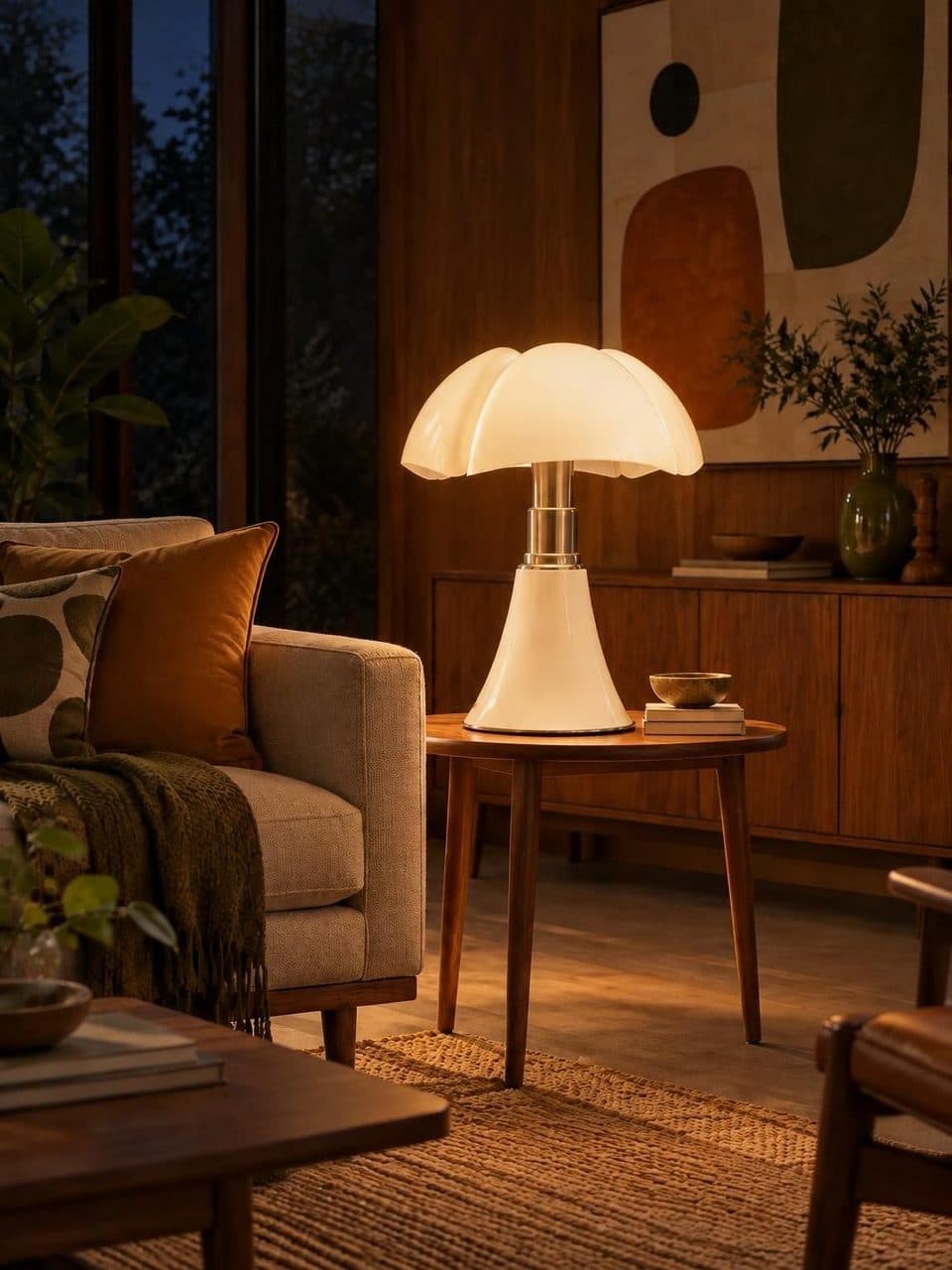
In short
For showing lighting options to clients, Lucy covers one specific part, presenting the lamps you propose. Each one appears in a room by day and lit at night, at an address the client browses on their phone. It does not model the client's space or calculate light levels, and it costs US$20 a month.
What clients struggle to picture
A cut-out lamp says little
In a mood board or a specification sheet, a lamp is a photo on white. The client approves a shape and only discovers the light once it is installed.
Rendering every option takes hours
To choose between three or four lamps, rendering each alternative is a lot of work. And if the client changes their mind, you do it again.
The selection ends up scattered
Links to different stores, manufacturer PDFs, screenshots. Each option looks different and the client loses the thread between them.
Clients decide without you there
The decision happens at home, at night, on a phone. Whatever you send has to make sense without you there to explain it.
How a design studio can use Lucy
- 1
Build your selection
Pick the lamps you specify most or the ones you sell, with product photos, names and dimensions. It is a curated selection, not every brand's full catalog.
- 2
Subscribe and send it
Start the US$20 monthly plan and share the selection. The Lucy team loads each lamp and creates its day and night scenes.
- 3
Choose the style
Use the one closest to your projects, from Nordic, Japandi, Industrial, Mid-century and Parisian.
- 4
Share it with each client
Send the showroom address or the links to the lamps you proposed for that project. The client switches them on and asks you questions on WhatsApp.
Where Lucy fits when showing lighting options to clients
A lighting plan is built in layers. Ambient, task and accent light are defined with drawings, calculations and technical specs, and that stays in the tools you already use. Lucy comes in when the client picks the pieces they will look at every day, the decorative lamps.
That is where the conversation changes. Instead of a cut-out photo, the client sees each lamp in a room by day and switches it on to see it at night. That step helps turn a product list into a decision.
What Lucy does not do
Lucy does not recreate the client's space. The scenes are furnished rooms in five styles, not their living room. It does not calculate lux levels or light distribution, and it does not replace a project render.
Each account has one showroom, so there is no separate showroom per client. You build one selection and, for each project, send the links to the lamps you proposed. If your studio also sells lamps, the fit is better, because the showroom becomes your sales catalog.
How to talk about light with the client
Two numbers help the night scene make sense. Color temperature, in kelvin, sets whether light looks warm or cool. Warm light for living rooms and bedrooms usually sits between 2700 K and 3000 K, and 4000 K is a neutral light often used in kitchens and work areas. Light output, in lumens, tells you how much light the lamp gives.
The scene shows the lamp's character when lit, with its shade, its diffuser and the way it spreads light. The exact color temperature depends on the bulb that gets installed, so state it in each product's description.
Frequently asked questions
Can I show my client's actual room?
No. Lucy stages each lamp in a furnished room in one of its five styles, not in a photo of the client's space. It shows what the lamp looks like and how it lights a room, and you still handle the fit with the real space through your drawings and renders.
Can I have a showroom per project?
Each account has one showroom. The practical approach is a selection of lamps you use often and, for each project, sending the client links to the ones you proposed. Each link opens the lamp's page with its day and night scenes.
Do I have to show prices?
No, the price is optional. If you specify and the client buys elsewhere, leave it blank and use the description for brand, dimensions and the recommended bulb. If you sell the lamps, enter the price in Argentine pesos or US dollars.
Does Lucy make sense for a studio that does not sell lamps?
It does if showing lamps lit is a regular part of your work. Lucy is built for stores, so it fits best with studios that also sell pieces or work from a stable selection. For projects where every piece is different, it is less useful.
Keep reading
- GuidesLamp color temperatureWhat 2700 K, 3000 K, 4000 K and 6500 K mean, which suits each room and how to explain it.
- FeaturesDay and nightEvery lamp in a real room, switched off by day and lit at night, one tap apart.
- StylesMid-century modernOpal glass, curves, walnut and one bold color. How to choose mid-century lamps and where to place them.
Your catalog, by day and lit at night
We migrate your catalog, stage every lamp, and you edit prices whenever you want.